
Appearance
Check Video Information
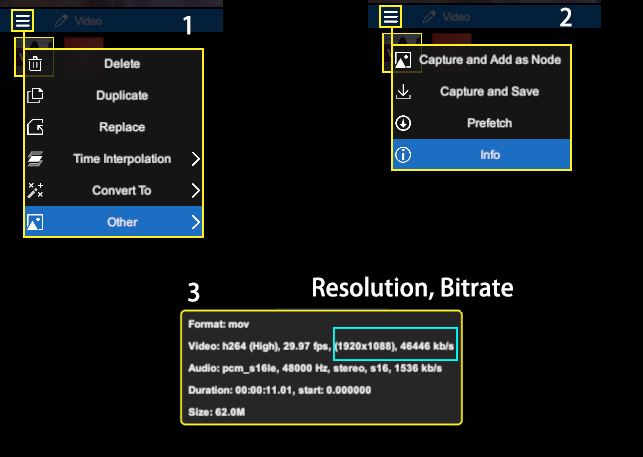
View video information (resolution, bitrate, FPS).
- Select the video layer, click the layer menu, and select [Other]
- Select [Info]
- You will see various information about the video in the popup window
Match Project Resolution/FPS
Click the Root Layer to open the Project Settings panel 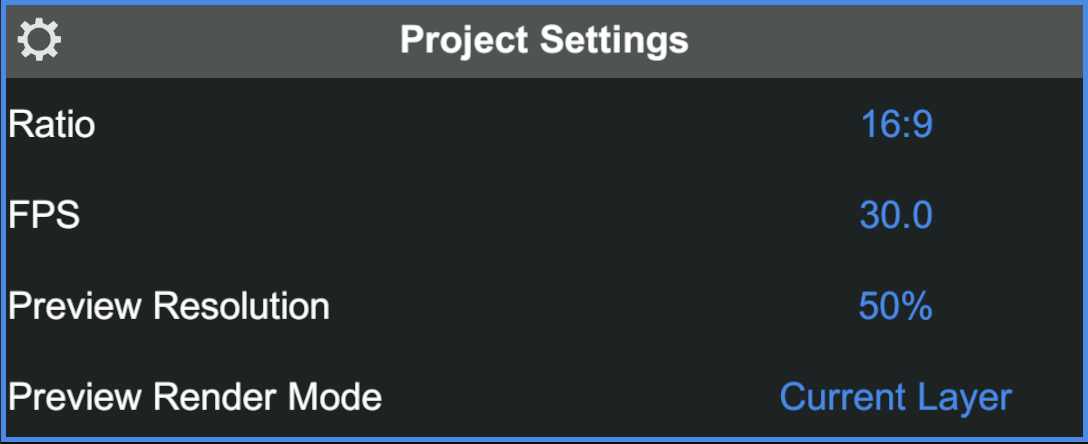
- Setting the project's
FPSto match the video helps improve smoothness - Setting the project's
Ratioto match the video helps improve quality
💡 Pro Tip -- Setting the project resolution higher than the video resolution will not improve image quality